Gadget Site

Enjoy Your Day With Gadget.

Gadget Site

Increase Your Knowledge About Gadget Here.

Gadget Site

All About Gadget.

Gadget Site

Explore For About Gadget.

Gadget Site

Stay Here.

Showing posts with label Notebook. Show all posts

Lenovo Thinkpad X220, Notebook & Tablet PC Work Up To 24 Hours


Lenovo Thinkpad X220

The more hectic with the presence of netbook on the market a laptop that does not mean making the development of notebook and tablet PC just stopped. In fact the Lenovo recently launched notebook and tablet PC with the models of the ThinkPad X220. Both are intended for personal mobile with the same performance offered by the large-capacity laptop but packaged and seramping light as possible.

Notebook and Tablet PC ThinkPad X220 is powered by the grandeur and sophistication of Sandy Bridge processor i3, i5 and i7. Where you can use up to 8GB of DDR3 memory and Intel integrated HD already exists as a graphic. With a pretty cute screen measures just 12.5 inches, the monitor has a brightness level of 300-int and the screen is also protected by Gorilla Glass.

Both models of notebook or tablet PC, both are already using a USB 3.0 connector. Moreover you will be quite spoiled with battery life of notebook and Tablet PC is being able to survive for 15 hours usage time because it was using a 9-cell battery. Even if you add an external battery, this laptop stand is used for 24 hours.

Reportedly both the ThinkPad notebook or tablet PC will go on sale starting in April 2011 with a range of 899 USD price for laptop and Tablet PC costing $ 1,199.

Toshiba Satellite E300 with Intel Wireless Display Technology

Toshiba Satellite E300
Computer Systems Division (CSD) Toshiba Singapore Pte Ltd, Tuesday, March 8, 2011 in addition to launching a series Portege R830 series also launched the Satellite E300. Still mobile as a concept, E300 series offers a performance-class and features that distinguish wireless connection with the R830.

Have a weight of 2.24 kg, the Satellite E300 is colored Champagne has a lightweight aluminum cover and a sturdy frame and LED-backlit keyboard that illuminates each key, and touch pad that combines the right and left mouse presents an exclusive impression.

The concept of mobile wireless features offered are consistent with the present, enjoy the multimedia experience without the limits of an HDTV without being distracted by the wires and complexity on screen. Packed with the latest technology:

Next Generation Intel � Wireless Display (Wi-In)
Forget the annoying cables and enjoy digital content on the screen width. This new innovation allows users to connect the notebook with wide screen HDTV without cable and enjoy digital content with bright images and amazing sound, just through the touch of a button and HD1080p full resolution.

With USB 3.0 Sleep and Charge
For maximum performance when connecting to external drives, with two-way speed signals up to 5Gbps, Satellite E300 is not equipped with an eSATA USB 3.0 port. With additional functionality biuld-in USB Sleep and Charge, users can recharge their gadgets whenever and wherever.

Dolby � Advance � Audio
Equipped with new technology design offers an amazing audio experience of any speakers or headset. What has been less than PC performance in quality sound listen to music or movies can be found in this notebook.

Toshiba Sleep and Music
The users can connect their MP3 players to notebooks and enjoy the music which in turn even if the notebook is off.

Satellite E300 has a width of diagonal 14 "with LED backlit display and Windows � 7 Home Premium, which is big enough that the Harddrive 640 GB, 4GB DDR3 RAM, Wireless with Bluetooth 3.0 and HDMI port.


Lenovo and Intel launches Classmate | PC For Students


Lenovo Classmate


Intel is known as the maker of the manufacturer, a company founded by Gordon E. Moore and Robert Noyce in 1968 was also an expert in developing the Classmate PC, notebooks specifically designed for children in the classroom.


According to the report "PC Magazine" collaboration between Intel and Lenovo has spawned a recent innovation by the name Classmate PC, the notebook is designed for students K-8 with a screen size of 10.1 inch widescreen. Fitutnya like most laptops in general have been equipped with an Intel Atom N455, 1.3 MP webcam, 3 USB ports version 2.0, 4-in-1 card reader, 1 RJ-45 LAN, audio jacks, and VGA.

However, unlike Classmate  notebook on the market, the clamshell looks rough and is bundled with the Intel Learning Series software suite. Classmate Notebook will not be sold on Lenovo website to purchase individual, netbook is intended for bulk sales to schools. For the first phase of Lenovo will ship some 158,000 units of Classmate to Argentina.

Since the launch of Intel Learning Series, has sold more than 3 million Classmate PC around the world.


Lenovo Classmate PC Student

Lenovo Classmate PC spesification :

Display: LED-backlit 10.1-inch TFT.
Dimensions: 67.6 x 237.22 x 29.9 - 34.7 mm, weighing 1.3 kg and 1.5 kg with battery.
Operating Systems & Software key: Microsoft Windows 7 pre-installed OS and Intel Learning Series software.
Processor: Intel Atom N455 1.66GHz prberkecepatan.
Camera: 1.3 megapixel webcam.
Data Access: Wi-Fi 802.11 b / g / n, 3 USB ports, and a 4-in-1 memory card reader.
Memory: 1GB/2GB internal memory RAM with the choice of 8GB/16GB HDD, 160GB to 250GB.
Other Features: Stereo speakers, and D-Sub connectors for external monitor, and will be integrated with the Intel Learning Series software.

Samsung SENS Serie 9 Thinnest Notebook on The World


Samsung SENS Serie 9

Notebook is not only more sophisticated, but also increases light, thin and small. This makes the laptop easier if you want to carry anywhere.

Well, now no one can match the convenience of the latest notebook Samsung Sens Series 9 for mobility. The latest is the thinnest laptop which recently launched in Korea. The weight of the laptop was only 1:31 kg with a size of 12.3 mm, making it the thinnest notebook.

Laptop body was made of Duralumin advanced materials, lightweight and durable power. Material was better known as used to make aircraft.

Laptop Samsung Sens Series 9 is supported by the Intel Core i5 2537M CPU, 4GB of RAM memory, 128GB SSD, Intel HD Graphics, 13.3 inch screen, WiFi and Bluetooth 3. Besides, what makes it interesting is the technology laptops Samsung "Fast Start". Technology that makes booting just 15 seconds.

Notebook will be released in March in the U.S. at a price 2.4 million Won or about 2200 U.S. dollars.

Lenovo ThinkPad X220 Specfication & Reviews


Review Summary:
The ThinkPad X220 notebook is only 12 inches of the best business we've reviewed so far.
Pro
Exceptional performance
Amazing battery
Excellent durability
Cons
Buttonless touchpad may disturb some users
No docking station through the optional battery slice


Quick Specifications
Screen Size: 12.5-inch
Processor: Intel Core i5
Graphics: Integrated Intel HD

Description
Lenovo's latest 12-inch business notebook, the ThinkPad X220, Intel offers the Sandy Bridge, IPS-quality screen high, and battery life that is extraordinary you have to see it to believe it.

Lenovo ThinkPad X220 is arguably 12-inch business notebook best currently on the market. Every business laptops that can be provide top-of perfromance-the-line and more than eight and a half hours of battery life with 6-cell battery standard amazing. The fact that the X220 can keep going for more than 18.5 hours with optional battery discount no shortage of amazing.

Asus K Series Use the Intel Core Huron River


Asus K Series

Asus introduced the new K series notebooks with Intel Core processors power the second generation of the Huron River as well as the latest generation graphics cards.

Through its official statement on Friday (03/11/2011), Asus claims if the specifications of this notebook produces accelerated computing experience with either, through improving the performance of multitasking, multimedia and gaming. This is thanks to the support of DirectX 11 gaming performance newest K series beyond other notebooks in its class.

K series comes with a model A, C or X, with the difference in IMR finishing it, in order to reach and personal needs of different users. New K series models have a durable aluminum cover, offering a personal touch that seemed unique in many color variants. With the addition of the ASUS exclusive technology IceCool will provide extra comfort while typing for the user, where its will always feel cold all the time.

Third-generation K series is also targeting mainstream classes, with very competitive prices. Comes with various enhancements, as well as technology and the latest innovation from ASUS, the latest K series will continue the success of previous K series story that has long been present in the market.

Notebook latest K series with a second-generation Intel Core processor for multitasking functions are accelerated, and improvement in visual performance with an integrated graphics card with graphics engines. With the fabrication of 32nm, power consumption will be lower power, and with NVIDIA technology disertainya Optimus, ASUS notebook battery life lasting K series will improve the usability of the notebook.

K43E Series will present at the end of March 2011 with a price range of USD 569
to USD 579 and black color variants for the variant color Pink Seduction, Urban Green, Chill Blue, Passion Red, and Party.

First in the World! Toshiba Dynabook Qosmio T750 Notebook That Can Change Colors

Toshiba notebook may not be the prettiest notebook, but the manufacturer Toshiba has made serious efforts to ensure eye-catching look. This notebook appears to be the first notebook that can change color, and while the bad news is that you will not be able to control the color change of this notebook as we set the wallpaper.

This notebook is using nano technology for metallic looks, which makes

Newest HTC Android Flyer Tablet Specification Finally Revealed

Having previously appeared rumors, we found the more complete information about specification of the HTC Flyer where the product is a 7-inch Android tablet with a screen resolution up to 1024 x 600 pixels, the same size and resolution that we know of the Samsung Galaxy Tab.

The processor used is the Qualcomm MSM8255 Snapdragon. Some of us may know that the processor is also a HTC Desire HD

Apple iMac MC413LL new LED-backlit screen features

IMac new LED-backlit screen features a brilliant 21.5-inch wide screen with 16:09 aspect ratio - perfect for watching HD video. 21.5-inch screen offers 1920-by-1080 HD. Intel dual-core processors ranging from 3.06GHz now, and take advantage of advanced graphics of each pixel. iMac declutters your desktop with the Apple Wireless Keyboard and Mouse new wireless Magic: the world's first Multi-Touch mouse. 21.5-inch (viewable) LED-backlit glossy widescreen 16-9 TFT active-matrix display (1920 by 1080 pixels).


Built-in iSight Camera with Microphone ATI Radeon HD 4670 with 256MB GDDR3 memory Slot-loading 8x SuperDrive (DVD +-RW DL / CD-RW) with double-layer burning 4x Audio - Built-in stereo speakers with internal two-watt 17 - high efficiency amplifier, built-in microphone, optical digital audio output / headphone out, optical digital audio input / audio line in Built-in AirPort Extreme 802.11n Wi-Fi Wireless LAN Bluetooth 2.1 + EDR 10/100/1000BASE-T (Gigabit ) Ethernet Built-in IR Receiver Ports SD card slot - 4 x USB 2.0, FireWire 800, RJ-45 (LAN), Mini DisplayPort output with support for DVI, dual-link DVI, VGA and video (requires adapters, sold separately Dimensions Units) Estimated - 17.75 (H) x 20.8 (W) x 7.42 (D) Approximate Unit Weight - 5.20 Pounds
Product Details
Amazon Sales Rank: # 86 in Personal Computers
Brand: Apple
CPU: Intel Core Duo 3.06 GHz
Memory: 4MB SDRAM
Hard Disk: 1GB
Processor: 1
Features
3.06GHz Intel Dual Core Processor
4GB 1066MHz DDR3 SDRAM
1TB Hard Drive, DVD SuperDrive
Screen 21.5 "LED-backlit display with 16:9 widescreen aspect ratio, 1920 � 1080 HD resolution, ATI Radeon HD 4670-256MB
Mac OS X v10.6 Snow Leopard, including new wireless Mouse Magic

Asus U35JC-A1

Much like the UL30A, Asus U35JC-A1 is slim, angular, and decked in lots of brushed metal in many ways, it comes across as a throwback design, like a DeLorean in laptop form. The very thin upper lid is backed in brushed aluminum, the small centered Asus logo looking more EPCOT-era than ever. Inside, a light gray silver, patterned, glossy plastic surrounds the keyboard deck, while glossy, black plastic surrounds the inset screen. Asus' keyboards are almost universally of the raised Chiclet style kind, but they're not all made equally.

Some Asus laptops have exhibited serious keyboard flex but that isn't the case with Asus U35JC-A1. The very solid feeling keys were great to type on, and aside from our gripe with the awkwardly placed arrow keys and a right hand side of page up or down buttons that needlessly squish the Enter and Shift keys, it makes for an excellent experience. There's just enough palm rest space beneath for good lap typing. Overall, it's nearly as good a keyboard as the MacBook Pro's.

A medium size multitouch touchpad lies flush with the keyboard deck around it in the same color to boot but textured with a subtle matte grid that works better than expected. A thin button bar beneath feels too slight, but the whole package gets the job done well and, most importantly, responsively. However, we'd put an asterisk next to "multitouch" the Elan software driving the touchpad allows only for a limited set of gestures, such as two finger scroll and multifinger tap, leaving out obvious ones like pinch to zoom. Two buttons sit atop the keyboard : one to the far left, one to the right.

They look identical, but the right one is the power button, whereas the left boots up the laptop in Asus' Express Gate quick start OS. We're not a fan of quick-start environments, simply because their limited applications, quirky setup, and need to boot up Windows 7 for access to the rest of your PC's features make for an annoying experience. Do yourself a favor and just put your laptop to sleep instead. When Windows 7 is already booted, the left button switches between custom battery saving modes.

The LED-backlit, glossy 13 inch 16:9 screen has a native resolution of 1,366x768 pixels, standard for this size. Viewing angles were tighter than we'd prefer, with color and contrast drifting into a washed out look unless the screen was perfectly centered. For videos, Web browsing, and general everyday use, pictures and videos look fine as long as excessive tilting is avoided. Front firing Altec Lansing stereo speakers situated under the keyboard on the lower front edge of Asus U35JC-A1 are loud enough for movies, Webchat or any other conceivable use, with notable crisp punch during gameplay. They're better than standard laptop speakers at this range, but lack musical depth and powerful bass.

Lenovo IdeaPad Y560d

Lenovo continues to create very nice looking laptops with its IdeaPad line. Lenovo IdeaPad Y560d is about as far from the office ready Lenovo mindset as we've seen, with a funky tribal tattoo design on the back of the lid. Other than that, the color scheme is similar to systems such as the IdeaPad Y460, with a copper accent strip around the outer edge of the lid and an interior mix of not too glossy black plastic and matte black keys. A row of backlit touch sensitive control buttons sit on top of the keyboard.

Running a finger back and forth along them pops up a quick launch bar, with assignable slots for different apps. It's clever looking, but it takes some getting used to. Running your finger along the right part of it can also change the desktop background image, but we never got the hang of pulling that off consistently. The keyboard and touch pad are excellent, even though Lenovo IdeaPad Lenovo IdeaPad Y560d uses a tapered key keyboard (more like the traditional ThinkPad design), rather than the flat topped island style one seen on most other IdeaPad models.

The 15.6 inch wide screen display offers a 1,366x768 pixel native resolution, which is standard for a 16:9 midsize laptop screen. It's great for 720p HD video content, but it can't display 1080p content at full resolution. Hardcore gamers may want higher resolutions, and we were also troubled by the faint horizontal lenticular lines that are sometimes visible, even when not using any 3D applications that's a byproduct of the polarized 3D system. Under the hood, Lenovo IdeaPad Y560d is a very impressive machine.

With a 1.6GHz Intel Core i7 720QM CPU, a 500GB 7200rpm hard drive, and ATI Mobility Radeon HD 5730 graphics, it's powerful enough for just about any task. The system holds its own against other high end laptops such as the HP Envy 17 and Toshiba A665-3DV (both also Core i7 systems) in our benchmark tests. But what we're really interested in is the 3D capabilities. We've had experience with the TriDef system before, and found this version to be largely the same.

Lenovo IdeaPad Y560d includes a basic pair of cheap plastic polarized glasses, plus a second pair of clip-ons for those of us who already wear glasses (be warned: it's not a cool look). The screen has to be tilted at just the right angle. For us it was about 120 degrees back, and with us sitting about twice as far from the screen as we normally would. The effect works best with objects that recede into the distance, where we could sometimes get an excellent 3D effect.

Objects that popped out of the screen toward us often got blurry or out of focus, as did some menus rendered in 3D. Keep in mind that it's very important to keep your head still to main just the perfect angle. To get games to play in 3D, they have to be run through the TriDef wrapper app, which is an easy enough process, but one with a lot of processing overhead. Playing Street Fighter IV (which looked very good in 3D), we got an average of 32 frames per second (at the native 1,366x768 pixel resolution) when running the game normally, but that dropped to about 13 frames per second when running it in 3D.

That's especially disappointing given the high powered hardware. On the positive side, the plastic polarized glasses are passive, and don't require batteries or recharging. Also, no external IR emitter dongle is required (as in Nvidia 3D Vision systems), making this a more compact, no extras required setup.

Asus Eee PC Seashell 1015PED-MU17

Like many of Asus' recent Eee PC Netbooks, Asus Eee PC Seashell 1015PED-MU17 has a sleek, teardrop shaped side profile, thicker at the back and tapering down to a sharp point at the nose. It's largely the same tapered/curved design we've seen on most Asus Eee PC's over the last year or so, particularly the 1005PEB, making it hard to muster excitement for a design that's barely distinguishable from others. Smooth matte surfaces on the back lid and keyboard deck guard against fingerprints, but still give off some ambient gloss.

Asus Eee PC Seashell 1015PED-MU17 line comes in red, blue, white, and black our red model had an attractive, coppery, brownish glow. The back lid's rather thick and whole unit feels solid, even a bit dense, but the compact form feels easy to tuck away. Having no protruding batteries or edges other than a slight bump on the rear bottom is a plus. The edge to edge raised chiclet style keyboard features well responding keys and no flex, but the smaller than full size keyboard felt cramped after a while.

In particular, the tiny wrist rests underneath feel too small for easy lap typing. A wide multitouch touchpad is composed of the same comfortable matte smooth lid/palmrest material, and is delineated by thin silver strips on the left and right, a slight change from previous Eee PC models. The touchpad felt wider and nicer than on previous models, though our thumbs tended to land on the pad when typing. A thin plastic button bar beneath is a bit small, but has a solid click.

Above the keyboard, a small plastic power button sits to the right and a quick-start button lies side by side with a Wi-Fi on/off button on the left. Asus' Express Gate Cloud quick start OS is a pared down environment with its own browser, photo app, and a few other features. Despite its faster boot time, we doubt many people will be satisfied with its performance and limited options most will opt to simply boot up Windows and keep Asus Eee PC Seashell 1015PED-MU17 in sleep mode between sessions.

The 10.1 inch LED matte screen on Asus Eee PC Seashell 1015PED-MU17 has a maximum pixel resolution of 1,152x864, which is highly nonstandard and produces a squished look. The resolution can be knocked down to 1,024x600 common for Netbooks. We've noticed 1,366x768 10 inch Netbook displays becoming increasingly common, but there's no such luck here. Pictures and videos looked crisp, and viewing angles were reasonable for the size and hinge limitations of Asus Eee PC Seashell 1015PED-MU17' lid, but Web pages feel cramped at this limited resolution.

Stereo speakers, located on the bottom front edge of Asus Eee PC Seashell 1015PED-MU17, offered louder than average audio that actually sounded quite good for video viewing. They're not musically extravagant, but they're definitely good enough for most needs. Asus chose to add a physical lens cover slider to its VGA Webcam, ostensibly to protect people against being unknowingly recorded.

It seems a little silly and is more likely to cause panic by making some people think their Webcam is broken when it's really just covered. Regardless, the picture quality is suitable for basic video chat, but its contrast levels created dark silhouettes. Cyberlink's YouCam software, which can be launched from a pull-down software widget on the desktop, is included on the system and has links to various Asus cloud-storage services and shortcuts.

Asus Eee PC 1201PN

Asus Eee PC 1201PN, however, only has a single core Atom N450 CPU to go with its Ion GPU, a combination that results in general performance that's weaker than its same priced predecessor. If the 1201N can be found for sale somewhere, it's probably the better buy for now. While the keyboard feel and general build of Asus Eee PC 1201PN are very similar to what we enjoyed in the 1201N before it, its limited processor slows things down, whereas the Ion graphics don't seem to add much more than what we'd already seen in Ion last year and, in some cases, it even seemed to offer less.

In a post iPad era, a Netbook has to offer a low price or an impressive performance, and this Asus really has neither. From the outside and inside, Asus Eee PC 1201PN looks a lot like both the 1201N we reviewed in early January and recent, more affordable Eee PC Netbooks. A plain, glossy black plastic lid that flaunts its fingerprints also comes in red or silver. Inside, more shiny black plastic frames an edge to edge raised Chiclet style keyboard. The double hinge on the lid straddles either side of a battery that has minimal bulge on Asus Eee PC 1201PN's bottom and fits right into the back.

The keyboard's easy to type on and comfortable to work at on a desk or perched in one's lap. The dimpled multitouch touchpad below is flush with the rest of the keyboard deck but responds well to finger gestures. A thin chromed plastic rocker bar for button pressing could have been a little more ergonomic. The LED-backlit 12.1 inch glossy LCS screen has a native resolution of 1.366 x 768 pixels, which matches most laptop displays around 13 and 14 inches. Most importantly, it's a common resolution; browser windows and other programs won't feel shoehorned in like they do with the pixel restrictions on most 10 and 11 inch Netbooks.

Images and video looked as bright and crisp as they did on the Eee PC 1201N we reviewed previously. The stereo speakers on this laptop, embedded on the front bottom edge of the base, are notably louder than other Netbooks. They don't exactly produce well defined music, but we appreciate their volume for TV viewing. Above the screen, a 0.3 megapixel Webcam offers video conferencing and picture taking capabilities, with a passable frame rate and middle of the road image quality.

To its credit, Asus Eee PC 1201PN includes Bluetooth but it better at this price. HDMI is common on any non-Apple laptop, but in the case of this Ion equipped Netbook you might find it more useful than with others, as Nvidia promises smooth 1080p playback of video files on an external HDTV. While that's nice, we imagine more people will want to stream video onto an HDTV (for Hulu, for instance, or YouTube).

Streaming video playback, which relies on Adobe Flash 10.1, worked well sometimes and stuttered at others depending on the site and level of graphic overlay. 2GB of RAM and a 250GB hard drive are increasingly standard offerings for higher end Netbooks. Windows 7 Home Premium is preinstalled, which is an improvement over the Windows 7 Starter many Netbooks offer.

While Asus Eee PC 1201PN is technically the first Netbook with next gen Nvidia Ion graphics, the CPU is decidedly current gen. Unlike the dual core Atom processor we saw in the innovative but hot running Asus Eee PC 1201PN, the single core Atom N450 at the heart of this Netbook is the same one in nearly every Netbook currently for sale. Its performance when augmented with its Nvidia Ion integrated GPU does fair better than other competitors, but Asus Eee PC 1201PN actually is a slower laptop than its dual core predecessor, which cost the same back in January. If you can find the 1201N on sale somewhere, you'll have a faster Netbook.

Gateway NV59C09u

Gateway NV59C09u is a laptop that's slightly thinner and lighter than the nearly identically configured NV5933u we reviewed recently, but to be honest it won't register to most people who aren't studying laptop lineups with a magnifying glass. A matte silver finish with a wavy lined pattern across the outer lid and inner keyboard deck is a little nicer looking than the older Gateway NV design, but by a small degree.

One design change in Gateway NV59C09u is a flatter lid hinge, making a leaner look at the back edge than the bulkier tube shaped hinge design of other NV laptops. The look inside is nice and clean : shiny black plastic around the inset glossy screen and keyboard, and a small mirrored strip above the keyboard that houses a narrow power button. The keyboard and touchpad have been redesigned on Gateway NV59C09u, to mixed results : the wide, flat keyboard is still technically flat versus raised, but the spaces between keys have been widened to create a bit of a raised key effect, even though the gaps are recessed.

It makes the keys slightly more comfortable, but the chances of crumbs and gunk falling down between keys seem like an annoying inevitability. We do appreciate the dedicated volume keys above the adjoining number pad, a move we wish more laptops would include. There's also an interesting "social media" key that looks like little smiling people, which brings up Gateway's software app for glomming Facebook, Twitter, and other social sites together. This isn't anything that programs like Digsby don't already do, but it's nice to see it so effortlessly integrated.

The touchpad is delineated only by thin raised lines on the keyboard deck otherwise, it's basically an extension of the rest of the palmrest surface. We like a more recessed, dedicated touchpad zone, but it worked fine all the same, with a decent surface area comparable to other NV models. The button bar is flush and a rocker bar (we prefer two discrete buttons), but it's a step better than the overdesigned, annoying thin mirrored strip on the lower end Gateway NV models.

Oddly, however, the new design looks cheaper. The LED-backlit 15.6 inch glossy display on the Gateway NV59C09u has a 16:9 aspect ratio and a native resolution of 1.366x768, which is standard for most laptops up to 15 inches. At this size, we've seen higher-res displays the lower resolution is a bit of a disconnect with the included Blu-ray drive and for the not bargain basement cost of $799, we were a little surprised the resolution didn't get bumped up to at least 1.600x900.

Blu-ray discs looked good, but not distinctly better than a good DVD player experience. To really show off your discs, you'll probably want to go through the HDMI out port. Above the screen, a high-def Webcam offers video conferencing and picture taking capabilities, with a maximum resolution of 1.280x1,024. This is one of the few upgrades from Gateway NV59C09u, which could record VGA quality video only. We appreciate the spec bump, and the quality is better than average for laptop Webcams.

Skype software is preinstalled along with a large collection of other programs we're not sure we need Gateway to load on for us. The integrated speakers located above the keyboard and under thin black mesh grilles that too easily trapped small dust particles have better than average volume and bass for movie watching, but are really no better than other NV laptop speakers we've tried. They're good enough and certainly loud enough for video watching, music, and Web chat, but they're not knockouts sonically.

Dell Vostro 3300

Dell Vostro 3300 is meant to glide somewhere between personal and business, and that's exactly what the design of Dell Vostro 3300 suggests : metal and black define the outside, with squared off edges on the front and back, and slightly rounded sides. Dell Vostro 3300 comes standard in Aberdeen Silver (which is what we had) in Core i3 configurations, with the option of adding Lucerne Red or Brisbane Bronze color schemes in the Core i5 configuration for an extra $40.

Overall, the design lies somewhere between the trendy Adamo and the more utilitarian Latitude. Plain, ThinkPad-esque matte black defines the interior of this minimalist Dell, from the keyboard deck up to the material surrounding the above screen Webcam. A few backlit media control keys and a backlit power button above the keyboard are the only flashy touches. Because this Vostro has a slightly thick and squared bottom half, there's room to fit audio in or out jacks, an SD card slot, and a Wi-Fi toggle button on the front edge, although they're a little tightly packed together in the center below the track pad.

The keyboard on Dell Vostro 3300 is similar to ones we've seen on other recent Dell laptops : it could be best described as a flat keyboard with individually raised keys. Though there's no number pad, it's easy to type and feels comfortable during extended writing sessions, and the keyboard goes edge to edge, maximizing the laptop's compact dimensions. The keyboard on our model wasn't backlit and that isn't available as an upgrade option on this exact model, but there is a Dell Vostro 3300 that includes a backlit keyboard on Dell's Web site starting at $708.

Above the keyboard, a small backlit touch controlled media bar has basic play and pause and volume functions. It's useful, but not overly so for a business focused machine. These might have been better spent on videoconferencing and other productivity related toggles. To the right of these are a few LED indicators for Bluetooth, Wi-Fi, and battery status. The track pad is wider and responds better than that of some brands we've seen. The plain discrete buttons below are nothing remarkable and could be slightly larger, but at least they're not over designed.

A 13.3 inch LED-backlit display on Dell Vostro 3300 has a 16x9 aspect ratio and a native resolution of 1.366x768 pixels, which is standard for most laptops up to 15 inches. These screens also come standard with antiglare, which is far rarer. The experience we had was excellent the screen has the glare free quality of a matte display, with the crispness found in a glossy coating. Text and video were easy to watch in any lighting. The included 2 megapixel Webcam had better clarity, sound recording and light sensitivity than most Webcams we've come across, making it perfect for video conferencing.

A small LED light also indicates the camera's in record mode. Though the camera's professional, Dell's selection of cartoonish effect overlays in its included camera software can only be described as cheese ball. There's only one speaker on Dell Vostro 3300. It's located on the front left edge of the laptop's bottom half, and though it sounds loud and clear, its off center position makes it a weak choice for movie playback. Should you choose to take a break with a DVD, you might want to pack some good headphones.

Dell Vostro 3300 doesn't have a huge selection of ports, but it does have eSATA. It's lacking HDMI-out, however, which is a feature that's becoming nearly universal on all laptops (excluding Macs). Thankfully, at least there's Bluetooth. Configuration options abound on Dell Vostro 3300, as is often the case with Dell laptops. Customization on Dell's Web site offers either a Core i3 or i5 processor, along with RAM configurations from 2GB to 4GB and hard drives from 250GB to 500, all at 7,200rpm. RAM can be expanded up to 8GB.

Despite Core i3 and i5 processors being 64 bit ready, Dell chose to make 32 bit Windows Home Premium the default OS. Upgrading to 32 bit Professional or 64 bit Home Premium costs an extra $70, 64 bit Professional, an extra $120. Depending on the support software, memory and other options chosen, Dell Vostro 3300's price can climb above $1,000, where it no longer seems like a great bargain. We'd advise you keep software services to a minimum and focus on basic needs. Our configuration, at over $800, just straddles the border of what we'd consider paying before looking elsewhere.

Now take off some extra weight and enjoy the true mobile netbook with LG X Series


Specifications LG X Series is :
Model : X100, X120, X130
Processor Intel� Atom� Processor N270,1.6GHz, 533MHz FSB,512KB L2 Cache Operating System Genuine Windows� XP Home
Chipset Mobile Intel�945 GSE Express Chipset
System Memroy 1GB (DDR2 800MHz 1SoDIMM)
Intel� Turbo Memory None
Display 10.1
Graphics Intel� GMA 950
HDD 160GB (2.5
ODD None
Communications GSM/GPRS/EDGE/UMTS/HSDPA Support(3G Embeded Optional)
Wireless 802.11b/g/n 1-stream (1x1, Half-type)
WLAN Antenna Dual-Hexa Band Antenna
Modem None
LAN 10/100MB Ethernet
Bluetooth *Yes (Bluetooth v2.1+EDR)Optional
TV-Tuner None
Webcam LG Smart Cam(1.3M Pixel)
Audio HD Audio, SRS WOW HD, SRS TrueSurround HD
Security HDD Security, Kensington Lock
Input Device
Keyboard 84 keys
Pointing Device Touchpad with Scroll Function
Expansion Slot
Multimedia Card Slot 4-in-1(SD, MMC, MS, MS Pro)
PC Card Slot None
Input/Output Port HP Out, Mic In, USB(x3), VGA, RJ45, DC-In
Battery 9cell(Li-Ion, 7800mAh), 6Cell(Li-Ion, 4400mAh) / 3Cell(Li-Ion, 2200mAh)
AC Adapter 40W
Software
Pre-installed Smart On(Instant computing- Web Browsing, Photo Viewer etc..), LG Smart Care, LG Smart Recovery (w/ Smart Partition), LG Intelligent Update, Google Toolbar, IP Operator, Cyberink YouCam, SRS WOW HD,SRS TruSurround HD, Norton Anti-virus(Trial Version), - Option :. WIDCCOM Bluetooth S/W(Bluetooth Model only), Ericsson Wireless manager (3G Model Only), MS Works 9.0 + Office Home & Student 2007 Trial or Open Office(Optional, Export Only), Koran package (Optional, Saudi/UAE only)
CD/DVD Titles LG Intelligent DVD, HSPA Installation CD(3G Model Only), Port Replicator None
Dimensions(WxDxH) 264 x 180 x 26.8~32.7(3Cell), 37.7(6Cell), 48.8(9cell),Weight 1.14Kg(3Cell), 1.15Kg(3Cell+HSPA), 1.27Kg(6Cell), 1.28kg(6cell+HSPA), 1.45Kg(9Cell), 1.46kg(9cell+HSPA)
Specialty Smart On, Smart Care, Smart Recovery

Mini Notebook N310 from Samsung packaged in the form Sleek minimalist design

Mini Notebook N310 from Samsung come up with interesting colors, packaged in the form Sleek minimalist design, Long-lasting battery life and supports all of today's lifestyle.
Basic specification :
Operating System Operating System Genuine Windows XP Home
Processor Processor Intel� ATOM� Processor N280 (1.66GHz, 667MHz FSB, 512KB L2 Cache)
Memory System Memory 1GB (DDR2 / 1GB x 1) Memory Slot 1 x SODIMM
Display LCD 10.1" LED WSVGA Gloss
Graphic Graphic Processor Intel� GMA 950
Storage HDD 160GB (5,400rpm S-ATA) ODD No
Communication Wireless LAN 802.11bg/n* Bluetooth Bluetooth V2.1 + EDR (Enhanced Data Rate)
Power Standard Battery 6 Cell
Physical Dimension (W x D x H mm) 262.0 x 184.5 x 28.0mm Weight (kg) 1.23kg (4 Cell)
Warranty Warranty -

Improve performance your laptop, PC or notebook with a memory upgrade

To improve the performance of a laptop, PC or notebook is useful to do memory upgrade. Memory is actually serves to store data and programs, save the application systems, control systems, and data that are operating or processed. The greater the memory capacity will increase the ability of computer, laptop, notebook. Memory can be sure that a great effect on computer performance, because each process the applications in your hard drive, will always be first stored in memory and in the process of the new processor. Memory upgrade is the easiest way for us to live buy memory in accordance with computer memory, laptop or notebook and install memory in addition to an existing one, because usually provided at least 2 memory slot (where installed memory). Noteworthy is the type of memory used.
For those of you who want to add laptop & notebook memory, please visit memoryupgrade.pro, here you will find lots of information, guides and reviews about the memory starting from the type, the excess of each product and the price varies from different brands including mac memory among others: 4GB Apple Mac Pro Workstation (Early 2008) 800MHz fully buffered, 2GB Apple MacBook Pro 15.4-17-Inch 2.4 - 2.6GHz Core 2 Duo 667MHz SO-DIMM.

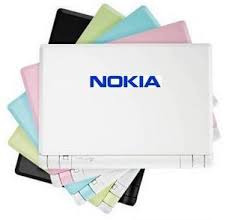
Nokia Booklet 3G


Apparently nokia attracted into the world of technology and gadgets, more broadly, because right now the Nokia issued a Nokia Booklet 3G - which is the first notebook from Nokia at a price of $ 799. Nokia Booklet 3G have aluminum chassis equipped with 79 "(2 cm) thick that weighs only 2.75 lbs (1.25kg), the general features owned by Nokia Booklet 3G include: Atom Z530 processor at 1.6 GHz will include a built-in Webcam, and 120 GB hard drive, 3G connectivity, a removable SIM slot "hot", HSPA, A-GPS, Bluetooth and WiFi, SD card reader also HDMI out for HD video output. Reportedly Nokia Booklet 3G will be limited.

SONY Vaio P Series

SONY Vaio P Series ease in typing keyboard with the presence of isolated to avoid errors in typing Sony is also expanding the keyboard area to the perimeter chassis to maximize the area writer.
Although only small envelope and very thin phone, SONY Vaio P SeriesPC features with the full weight of only 594g with a 620g with SSD or HDD. Size is very small for input to be taken bag or purse. Vaio P itself is designed to have the ability the withdrawal normal notebook.
P Vaio wide LED screen has a high resolution 1600 x 768 sized 8 inches. The wide screen makes it comfort to see two pages side by side on a web site. P Vaio also has use LCD technology which can produce images with a high level of detail.
Meanwhile, anti-reflection coating can reduce reflection of light so that the display on the screen remains sharp, despite being outside the room.

The quality of each part is designed in detail, including a very flat surface, beneath which are not part the screw, with the axis, and also shaped like a capsule comfortable in use. Laptop bag and mouse with a color that senada also available to complete the look.
Vaio P is available in a variety of color options such as premium flash Red Garnet, Olivine Green, Obsidian Black, and Crystal White. Colors are body which be painted on a layer made of magnesium, and with poles in hand to get shiny maximum at the top and bottom surfaces of the withdrawal of stone mineral that has been scrubbed.
P Vaio Instant Mode features that can make up the XMB (Cross Media Bar), so typical Sony boot up process and access to music, video, photos, and so the Web more quickly.


Windows Vista operating system can support a variety of software commonly found in the large-sized notebook.
In addition, the program settings window (windows utility Arrangement) was in participate to manage all documents or web sites being opened easily with just one button.

The key will be placed side by side with all the neat on one screen.
In addition, an integrated webcam camera, technology, noise-cancelling headphones (only on VGN-P15G), WiFi, and Bluetooth wireless technology has been included to enhance user mobility. Sony Vaio P is available in two models, the P13 and P15. The difference is the P15 which has a storage 64 GB SSD storage, while the P13 using 64 Gb HDD.

Sony Vaio P15 l U.S. $ 1,299 (Rp 14 million) and P13 dibanderol Sony Vaio U.S. $ 899 (about Rp 9 million).

Share

Twitter Delicious Facebook Digg Stumbleupon Favorites